Introducing a panels model to User Interviews' CRM
Role
Lead Product Designer
Timeline
H1 2025
Description
I designed a multiple panels model to encompass a more enterprise friendly CRM experience in User Interviews.
Overview
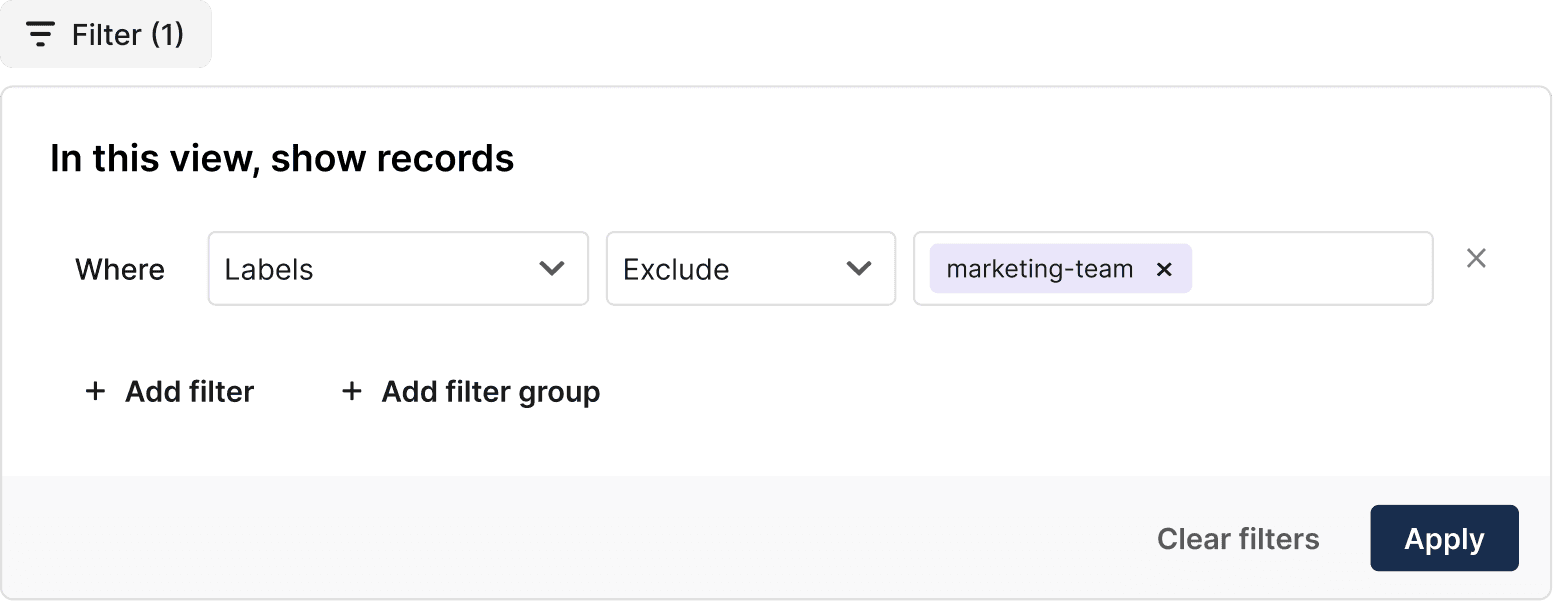
In this project, I designed an interactive filter component to be used in our CRM instance to replace our existing filtering system. This component solved for our user's filtering pain points in the CRM instance, and also in our project participant management funnel.
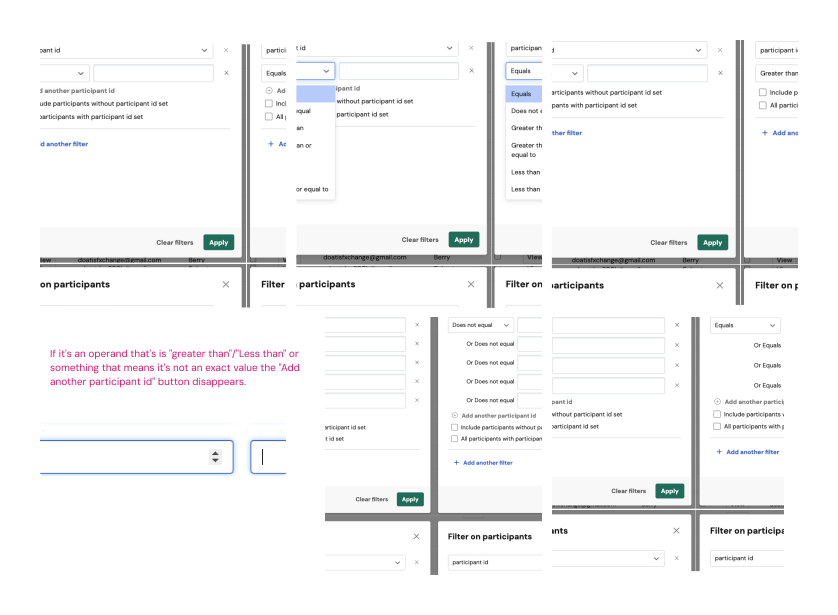
Previously, the filter component was a modal, with filters running on an outdated operator system.
The prior filtering ecosystem utilized a centered filtering modal. Certain inconsistencies across Date, Number, String, and Boolean filter types created usability issues for our customers. The interaction design of filtering via a modal made the filtering process feel disconnected from the table of results it was filtering.
Outcomes
The filtering project, completed in December 2024 was considered a successful product release!
We saw a 7% increase in R's using filters as a % of all Hub users
We received positive feedback from happy customers post-release.
The filtering component is modular in our design system to be used across the product in other table instances
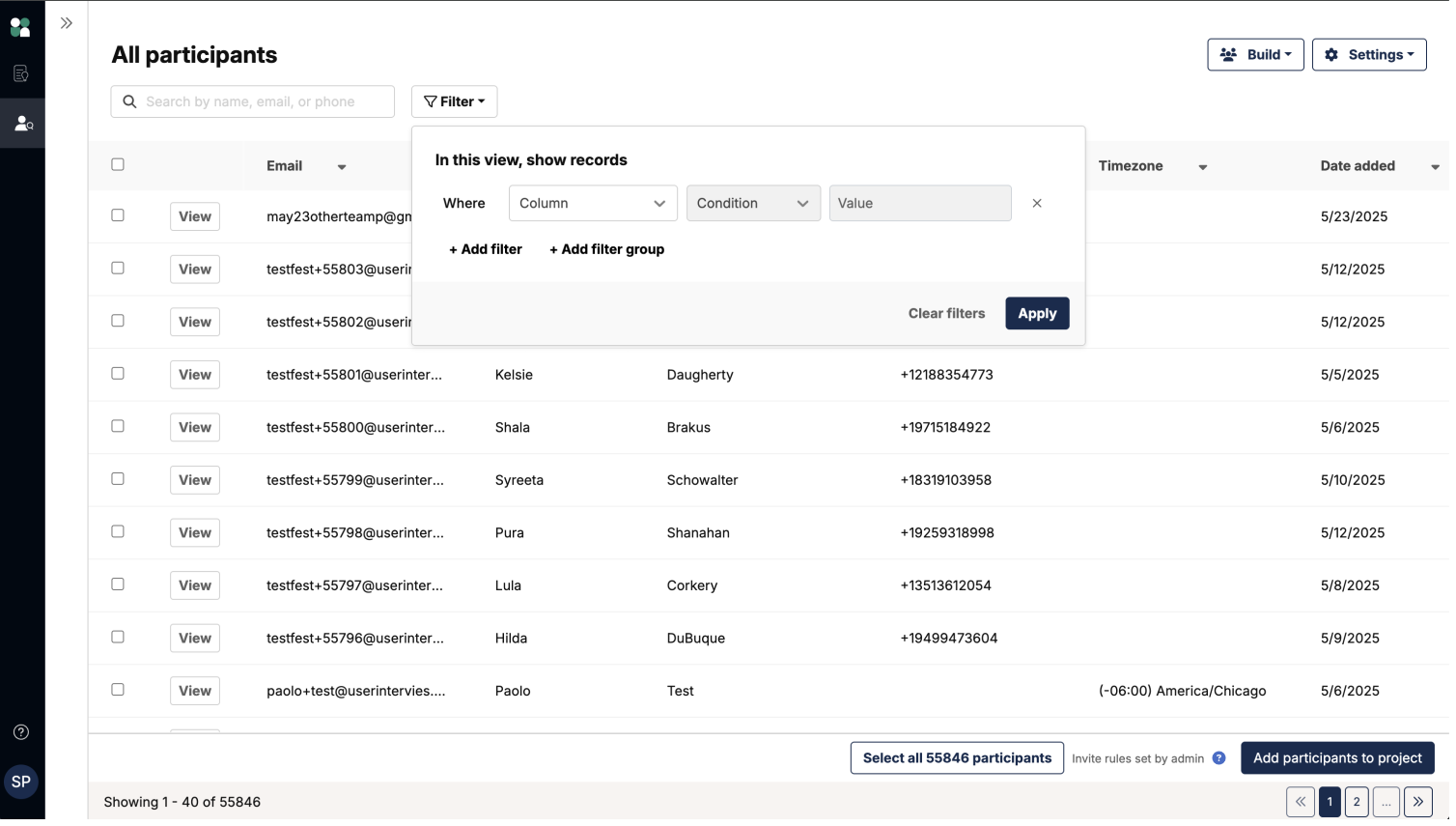
Screenshot of a staging environment that includes the now live filtering component in our CRM instance.
Designing a CRM experience at User Interviews
Designing filters in User Interviews
Introducing a panels model to User Interviews' CRM
Role
Lead Product Designer
Timeline
H1 2025
Description
I designed a multiple panels model to encompass a more enterprise friendly CRM experience in User Interviews.
Overview
In this project, I designed an interactive filter component to be used in our CRM instance to replace our existing filtering system. This component solved for our user's filtering pain points in the CRM instance, and also in our project participant management funnel.
Previously, the filter component was a modal, with filters running on an outdated operator system.
The prior filtering ecosystem utilized a centered filtering modal. Certain inconsistencies across Date, Number, String, and Boolean filter types created usability issues for our customers. The interaction design of filtering via a modal made the filtering process feel disconnected from the table of results it was filtering.
Outcomes
The filtering project, completed in December 2024 was considered a successful product release!
We saw a 7% increase in R's using filters as a % of all Hub users
We received positive feedback from happy customers post-release.
The filtering component is modular in our design system to be used across the product in other table instances
Screenshot of a staging environment that includes the now live filtering component in our CRM instance.
Designing a CRM experience at User Interviews
Designing filters in User Interviews
Introducing a panels model to User Interviews' CRM
Role
Lead Product Designer
Timeline
H1 2025
Description
I designed a multiple panels model to encompass a more enterprise friendly CRM experience in User Interviews.
Overview
In this project, I designed an interactive filter component to be used in our CRM instance to replace our existing filtering system. This component solved for our user's filtering pain points in the CRM instance, and also in our project participant management funnel.
Previously, the filter component was a modal, with filters running on an outdated operator system.
The prior filtering ecosystem utilized a centered filtering modal. Certain inconsistencies across Date, Number, String, and Boolean filter types created usability issues for our customers. The interaction design of filtering via a modal made the filtering process feel disconnected from the table of results it was filtering.
Outcomes
The filtering project, completed in December 2024 was considered a successful product release!
We saw a 7% increase in R's using filters as a % of all Hub users
We received positive feedback from happy customers post-release.
The filtering component is modular in our design system to be used across the product in other table instances
Screenshot of a staging environment that includes the now live filtering component in our CRM instance.
Designing a CRM experience at User Interviews
Designing filters in User Interviews